SQLEditor 4 Released
Monday, January 30th, 2023SQLEditor 4 has now been released as a public version:
Download (v4.0.2 105MB dmg)
Or use the auto update in SQLEditor to upgrade

SQLEditor 4 has now been released as a public version:
Download (v4.0.2 105MB dmg)
Or use the auto update in SQLEditor to upgrade
SQLEditor 4 has been slower than expected due to various factors.
As an update on progress, this is the current SQLEditor release for Apple Silicon (ARM):
SQLEditor 4.0.1
104MB DMG
A full public release is still in progress, but this is a non-expiring release that can be used if you have a recent (After Jan 1st 2020) license.
Sorry for the ongoing delays here, please be assured that no license upgrade time will be lost.
Today we’re releasing SQLEditor 3.7.2, which has new support for dark mode content, as well as dark mode UI.
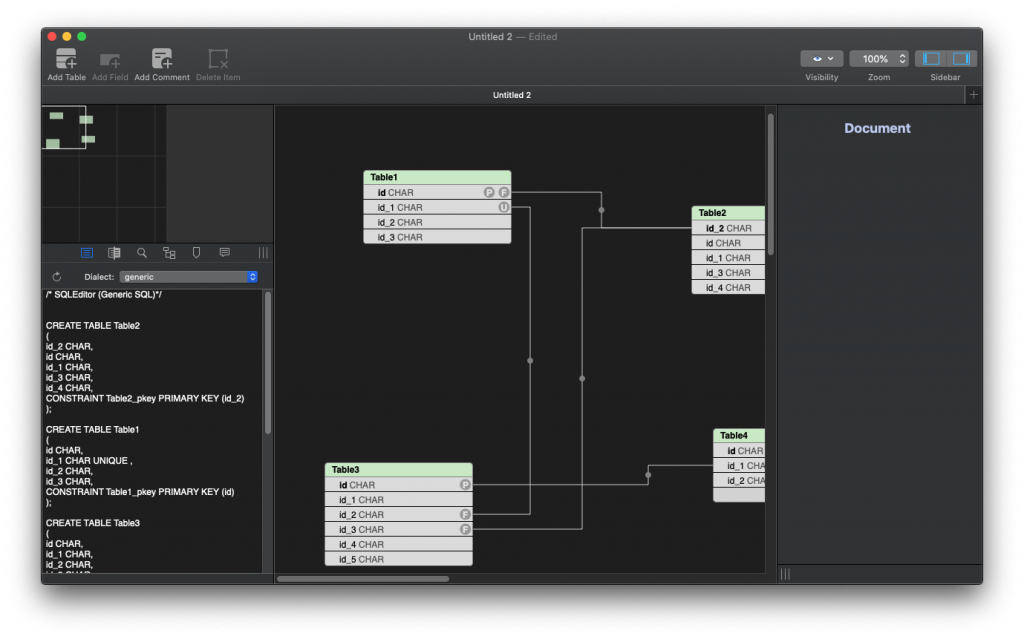
The new dark mode canvas is selectable in the preferences panel and there are now three choices:
The default option is to follow the system setting for UI and provide light mode content, this being the best match to the previous behaviour.
When printing the document is automatically converted to light mode to match the paper and when saving as an image you can choose whether to export in light or dark mode in the export save panel.
Note that dark mode content is app-wide, it isn’t currently possible to choose it for one document only.
There are other new features as well, including better label performance, better support for MySQL JDBC SSL connections and various other fixes and improvements.
SQLEditor 3.7.2 is available for download from the website at
http://www.malcolmhardie.com/sqleditor/releases/3.7.2/SQLEditor-3-7-2.dmg
Or via auto-update within SQLEditor itself.
SQLEditor 3.5 has now been released, it is identical to 3.5.0b2, but doesn’t expire:
SQLEditor 3.5.0 – Download (59MB DMG)
I’m pleased to say that the new SQLEditor beta, 3.5.0b2, is now available.
This is the first version that offers dark mode support when running on 10.14 Mojave.
It also offers various other improvements, in particular better scripting support and assorted bug fixes.
Various pieces of the user interface were also updated and should appear sharper (especially on retina screens)
The new beta is available for a limited time:
Download: SQLEditor 3.5.0b2 (60 MB DMG)
Expires 12 December 2018
If no bugs get found, this will be released as a non-beta release soon.
Bug reports, comments and suggestions are gratefully received at the usual address: support@malcolmhardie.com
With Mojave released and SQLEditor working, a new release with proper dark mode support is in the works. Development has been proceeding rapidly and there’s stuff to show off.
This screen shot shows some of the progress, see how the basic user interface is entirely dark mode.
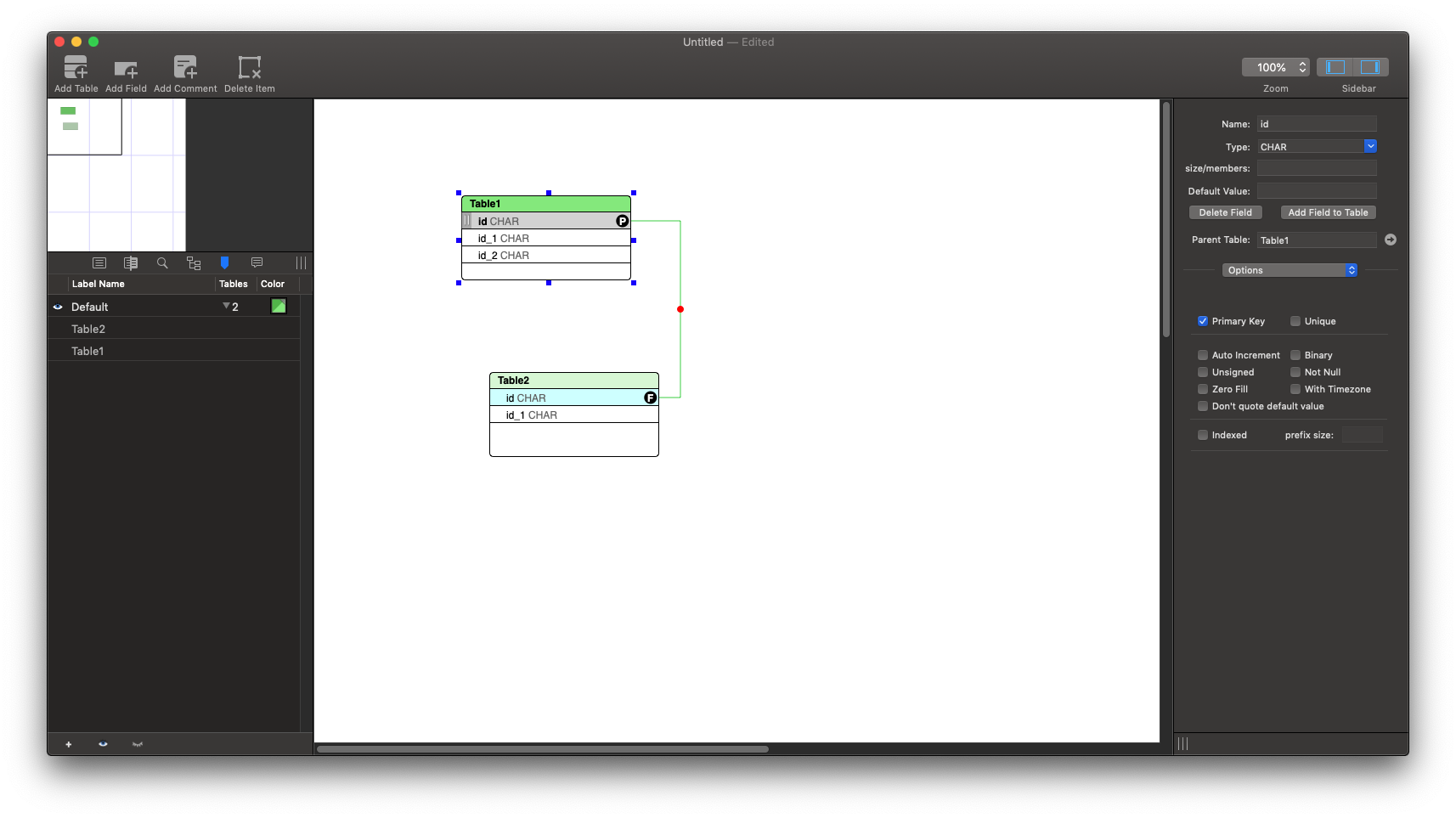
It’s mostly finished, although I’m still working on how the drawing areas should appear. The first version has a white background for the drawing area, following the “diagram as image” idea.
A later revision may have the option to change this background color.
SQLEditor will offer the option to use either the system appearance or to explicitly choose either light or dark mode:


This work is mostly finished, currently it’s just being checked to make sure that all the details have been fixed and that no oddities remain.
Hopefully it should get a beta release fairly soon.
Today SQLEditor 3.0.2 was released which offers some bug fixes, slightly better javascript error logging and new experimental Redshift support.
SQLEditor should now recognise the redshift JDBC drivers and it also has a redshift specific dialect.
Currently the dialect is absolutely identical to postgres, but further improvements are in development.
As a warning, it’s not really ready for prime time yet, and more testing is to be done.
Feedback is really welcome.
Download v3.0.2 (58MB zip)
A new version of SQLEditor is released. Version 2.8.2 [56MB zip file]
Things of note in SQLEditor 2.8
The SQL parser has had quite a bit of work done on it for this release, which should mean fewer parsing oddities, particularly with keywords. This was originally reported as a bug involving the word ‘source’ as an identifier. You can now use ‘source’ as an identifier without problem. 🙂
There are several improvements to table renaming, and objects are better at preventing duplicated names.
Another significant improvement is the rewrite of the document state code. This handles things like when the document needs to be saved and when it is marked edited. Previously documents appeared as ‘edited’ immediately upon opening, but now they only appear as edited when they actually have been edited.
As part of the state change rewrite, undo for object properties should be more solid and label color editing should be more reliable.
There are also various other improvements and bug fixes.
Hopefully this should be a good release.
What happened to 2.8 and 2.8.1?
2.8 reached beta, but several bugs were identified, particularly in object naming and auto increment. These were fixed and 2.8.1 was released.
2.8.1 was a full release version, but a build issue caused two help files to be omitted from the build. This generated an exception when attempting to view them.
I’m happy to announce SQLEditor 2.7.1 (zip file, about 55MB). If you have automatic updates turned on, this update should appear the next time SQLEditor checks for updates.
As well as various bug fixes, this release also has a nice new feature where you can drag an entire SQLEditor document into another SQLEditor document and the contents will import everything in the first document into the second document.
You can also do this with SQL files and SQLite database files. In this second video I’ve got a SQLite database file and I drag it into the SQLEditor window. (Then I moved the second table a bit)
SQLEditor 2.7.1 (zip file) is available to download immediately.
It’s a free upgrade for all SQLEditor 2.x customers.
SQLEditor 1.x users can upgrade from 1.x at a good discount.
This is the MalcolmHardie Solutions Weblog.
It's where we can talk about SQLEditor, HTMLValidator
and other stuff that we're doing.
The content is mostly from Angus Thinks but it doesn't include stuff that isn't relevant to the company
You are currently browsing the archives for the SQLEditor category.
